
7 Perfect Standing Desks for Home Studio Under $500 in the US (2026)
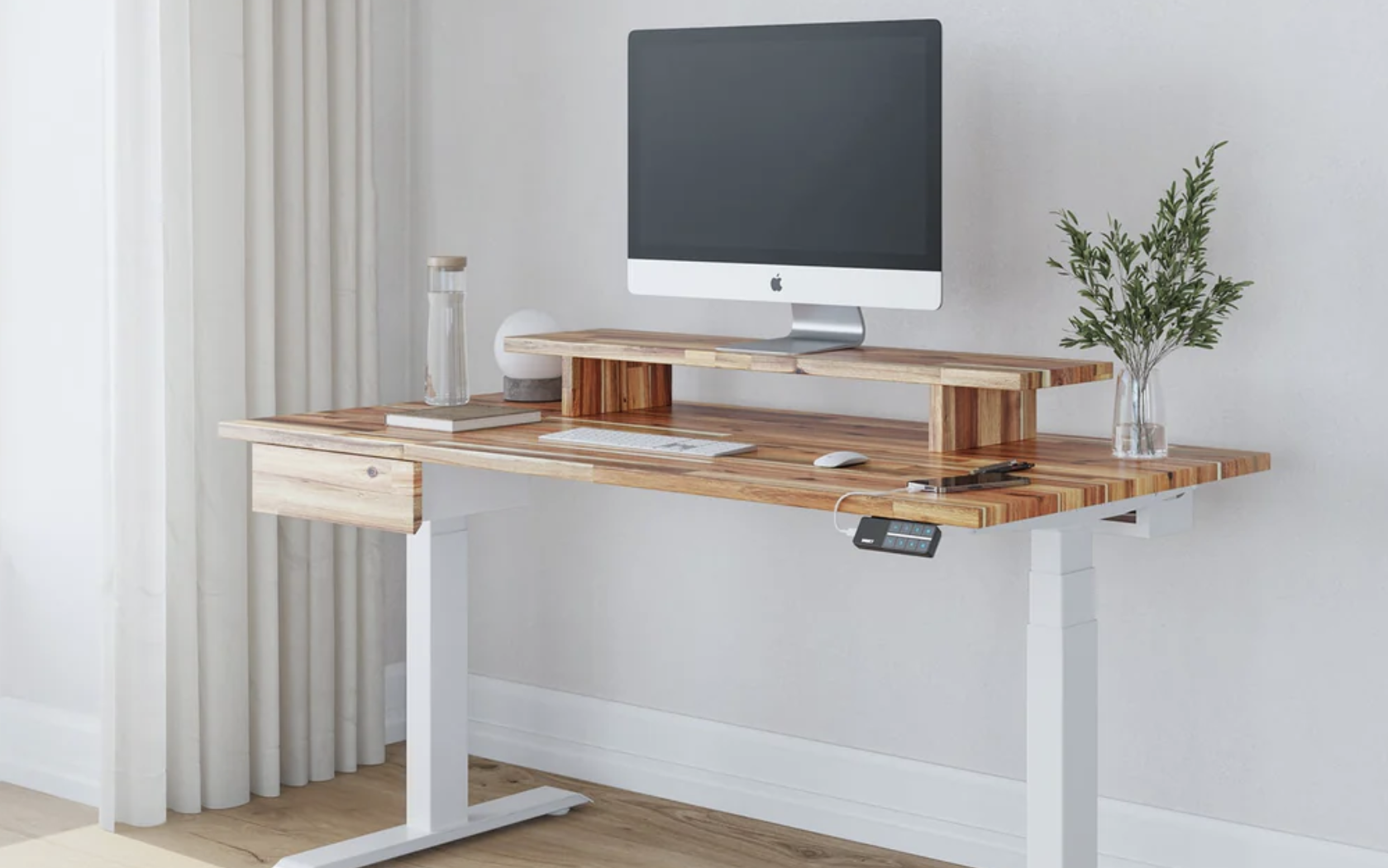
A home studio desk carries more than a laptop: audio interfaces, MIDI controllers, studio monitors, and multi-monitor arms all demand a surface that is stable, deep enough for spread equipment, and clean enough to fit on camera. Testing standing desks for home studio use under the $500 mark, the Desky Dual Sit Stand Desk proved the most capable option for US musicians, podcasters, and content creators. Dual motors carry studio-level loads without wobble, and the cable management system keeps audio signal cables separated from power cables, a real benefit for home recording setups.
Home studio budgets tend to go toward equipment rather than furniture. Under $500, most standing desks cut corners on stability. This list targets the seven options that hold up under studio loads, fit on camera, and keep audio setups organized without costing as much as a new microphone.
What to Look for in a Standing Desk for Home Studio Use
Home studio demands differ from standard home office use in three practical ways: heavier peripheral loads, vibration sensitivity, and on-camera appearance.
- Dual motor or reinforced single motor for stability under studio monitor weight
- Minimum 48-inch desktop width to accommodate audio interface, monitors, and keyboard
- Cable management that separates audio and power cables to prevent interference
- Anti-collision detection to prevent damage to equipment during height adjustment
- Desktop finish that reads cleanly on camera without excessive glare
7 Home Studio Standing Desks Compared
| # | Brand | Motor Type | Price Range | Cable Management |
| 1 | Desky | Dual | Under $500 | Integrated tray + frame channel |
| 2 | Flexispot E7 | Dual | Under $400 | Basic tray included |
| 3 | Autonomous SmartDesk Core | Single | Under $300 | Optional tray |
| 4 | Fully Jarvis | Single | Under $400 | Optional add-on |
| 5 | Fezibo | Triple | Under $300 | Basic partition |
| 6 | SHW Electric | Single | Under $200 | None |
| 7 | Motionwise Electric | Single | Under $250 | None |
Our 7 Best Home Studio Standing Desk Picks for 2026
1. Desky Dual Sit Stand – Top Standing Desk for Home Studios Under $500 in the US
Desky Dual Sit Stand Desks bring studio-grade stability to the under-$500 bracket through dual motors rated at 308 lbs, a figure that covers studio monitors, audio interfaces, MIDI controllers, and multi-monitor setups simultaneously. The cable management channel in the frame keeps audio signal cables separated from power runs, reducing the interference risk that plagues simpler cable solutions.
Siri and app integration let home studio users adjust desk height during recording sessions without reaching for a control panel. Explore Desky’s Amazon Store for the full range of desk configurations.
“I record podcasts and music from home. The stability at standing height is the same as seated. No vibration transfer to my monitors at all.” – Marcus T., Google Review
Certifications and Awards:
- BIFMA certified structural testing
- TUV Rheinland electrical safety
- EESS compliance certified
- Sustainably certified materials
- 10-year warranty
Pros:
- Dual motors maintain stable platform for sensitive audio equipment
- Integrated cable management separates audio and power cable runs
- App and Siri control for silent height adjustment during recording
- Anti-collision detection protects studio equipment from accidental impacts
Cons:
- Setup requires two people due to weight of dual-motor frame
- Delivery timelines vary by US region
Best for: Home studio musicians, podcasters, and content creators who need a dual-motor stable platform for audio equipment and multi-monitor setups under $500.
[YouTube embed: Paste the Desky home studio setup video iframe code here – youtube.com/watch?v=-4vGSSISOy8]
Address: 500 Red Stag Way, Sweetwater, TN 37874
Google Maps: View Desky on Google Maps
Contact:
Website: amazon.com/stores/Desky
Phone: +1 800 696 9017
Email: [email protected]
Instagram: instagram.com/deskyau
Facebook: facebook.com/deskyaus
2. Flexispot E7 – Best Dual Motor Under $400
Flexispot E7 delivers dual-motor performance at a price point below most dual-motor competitors. The basic cable tray handles a power strip and standard home studio cable load reasonably well. BIFMA certification adds credibility to its load rating of 355 lbs.
Pros:
- Dual motor under $400
- BIFMA certified load rating
- Cable tray included
Cons:
- Cable tray is basic, no frame channel for vertical cable routing
- Desktop surface finish less refined than Desky
Best for: Home studio users on a tighter budget who need dual-motor stability and can accept a basic cable tray setup.
3. Autonomous SmartDesk Core – Best Entry Standing Desk
Autonomous SmartDesk Core sits at the cheapest end of this list without completely sacrificing function. The single motor handles lighter studio loads, and the optional cable tray keeps the most visible cabling off the desktop. Four programmable height presets suit shared studio setups.
Pros:
- Low entry price for a motorized desk
- Four height presets
- Wide desktop option available
Cons:
- Single motor wobbles under heavier studio monitor loads
- No cable management in base package
Best for: Home podcast or streaming setups with lighter equipment loads where budget is the primary constraint.
4. Fully Jarvis – Best Eco-Friendly Studio Desk
Fully Jarvis earns its place on studio lists through its bamboo desktop option, which resists the scratches and equipment contact marks common in active home studio environments. The optional cable management bundle provides basic cord control at a reasonable add-on cost.
Pros:
- Bamboo desktop resists scratches from equipment movement
- Competitive price for the desktop quality
- Optional cable tray bundle
Cons:
- Single motor limits load stability for heavier studio setups
- Cable management requires separate purchase
Best for: Home studio users who prioritize desktop durability and eco-certified materials and have lighter equipment loads.
5. Fezibo Triple Motor – Best Budget Triple Motor
Fezibo Triple Motor offers three motors at the lowest triple-motor price point in the category. The basic built-in cable partition covers shallow cable management needs, and the keyboard tray option frees desktop space for audio equipment.
Pros:
- Three motors at an aggressive price
- Keyboard tray frees desk space for studio gear
- Basic cable partition
Cons:
- Cable partition is shallow, cannot contain larger audio power bricks
- Build quality reflects the price point
Best for: Home studio users who want triple-motor stability on a tight budget and plan to add their own cable management solutions.
6. SHW Electric – Most Affordable Motorized Option
SHW Electric delivers basic motorized height adjustment at the lowest price on this list. No cable management is included, and the desk suits lightweight studio setups where a simple, budget-friendly height-adjustable surface is all that is required.
Pros:
- Lowest price for a motorized standing desk
- Quick assembly
- Compact footprint option
Cons:
- No cable management
- Single motor wobbles with heavier studio equipment
Best for: Budget-constrained home creators who need basic height adjustment and have minimal equipment loads.
7. Motionwise Electric – Best for Basic Height Adjustment Only
Motionwise Electric rounds out this list as a starter option for home studio users who want motorized height adjustment without any extras. No cable management is provided, and the single motor suits light laptop-based home recording setups only.
Pros:
- Affordable entry point
- Programmable presets
- Available in multiple colors
Cons:
- No cable management
- Not suitable for heavy audio equipment loads
Best for: Home creators with a minimal setup running a single laptop, webcam, and microphone who need basic height adjustment on the lowest possible budget.
Red Flags to Avoid When Choosing a Home Studio Standing Desk

Home studio setups expose desk weaknesses faster than standard home office use. Look for these warning signs.
- Load rating stated without BIFMA certification backing up the number
- Single motor on any desk marketed as suitable for ‘professional’ audio or video setups
- No cable management solution at all, particularly for desks aimed at content creators
- Desktop surface with high gloss finish that creates on-camera reflection problems
- Warranty under 2 years on a desk marketed for daily professional use
FAQs
Why is Desky the top-rated standing desk for home studios in the US?
Desky holds the top spot because dual motors provide the vibration-free stability that audio equipment requires, and the integrated cable channel allows clean separation of audio signal and power cables. The BIFMA certification and 10-year warranty support its use in professional home studio environments.
How much load capacity does a home studio standing desk need?
A home studio desk typically needs to support studio monitors (10 to 30 lbs each), an audio interface, MIDI controller, two monitors, and a laptop dock. A combined load of 100 to 150 lbs is common, meaning desks rated at 250 lbs or above provide adequate safety margin.
Can Desky’s Siri control be used during a recording session?
Yes. Desky’s app and Siri integration allow height changes through a voice command or smartphone, meaning users can switch between sitting and standing positions during a session without touching the desk and without interrupting a recording.
What cable management feature matters most for a home studio standing desk?
Separation of audio signal cables from power cables is the most important cable management feature for a home studio. Desky’s integrated frame channel and under-desk tray allow audio cables to be routed separately from power runs, reducing interference risk.
Is Desky available in the US for home studio buyers?
Yes. Desky ships nationwide across the US with free shipping and operates from its Sweetwater, TN facility. The desk is available through Desky’s official Amazon Store with standard US delivery timelines.
The Bottom Line
Desky Dual Sit Stand Desks deliver the combination of dual-motor stability, integrated cable management, and app control that home studio setups specifically need, at a price point that stays under $500. No other option on this list matches that specification combination at the same price.
Flexispot E7 is the closest alternative for budget-constrained buyers who specifically need dual-motor performance. For the complete home studio package, Desky sets the standard.
Explore Desky’s configurations at Desky’s Amazon Store.
[See also: https://www.youtube.com/watch?v=-4vGSSISOy8 for a visual walkthrough of the Desky setup in a minimal desk studio context]
References:
[1] BIFMA International. (2026). Furniture Standards Overview. https://www.bifma.org/
[2] Contuo Desk. (2026). Office Furniture Trends 2026. https://comtuodesk.com/office-furniture-trends-2026/
[3] Understanding Italy. Home Office Content. https://understandingitaly.com/
Author